> For the complete documentation index, see [llms.txt](https://docs.unisat.io/llms.txt). Markdown versions of documentation pages are available by appending `.md` to page URLs; this page is available as [Markdown](https://docs.unisat.io/products/utxo-management/how-to-unlock-lock-inscription-runes-alkanes-utxo-and-send-as-normal-btc-in-all-utxo-tab.md).
# How to unlock/lock inscription/Runes/Alkanes/ utxo and send as normal BTC in All UTXO Tab
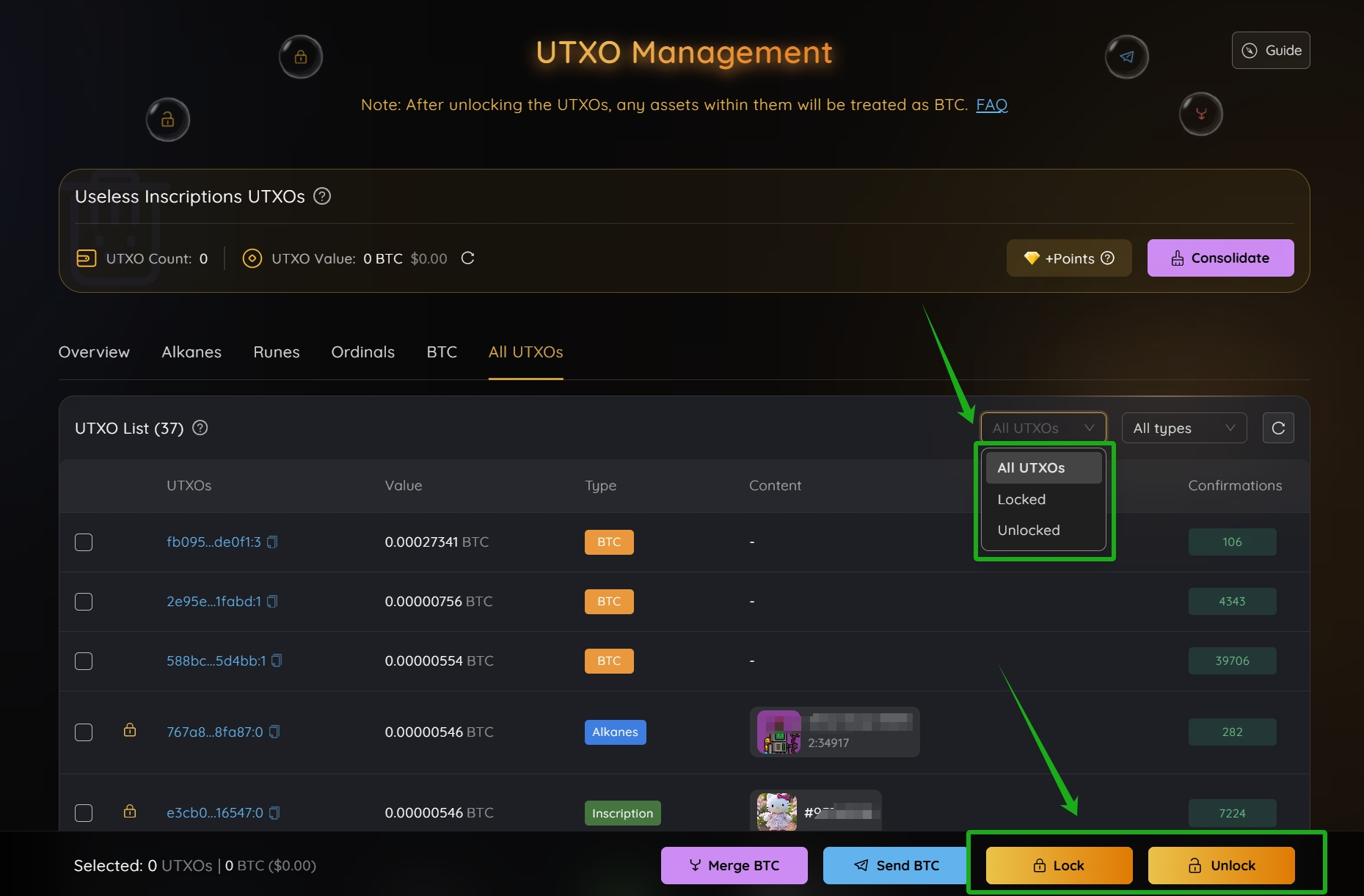
The **Lock** function in UniSat UTXO Management Tool allows you to prevent specific UTXOs from being accidentally used in transactions. The **Unlock** function lets you reverse this, making the UTXOs available again for normal operations.
Locking is helpful for protecting assets, reserving UTXOs for specific use cases, or managing wallet behavior.
UniSat UTXO Management Tool: [https://unisat.io/utxo ](https://unisat.io/utxo)
***
### How to unlock inscription/runes/Alkanes/ utxo and send as normal BTC in All UTXO Tab?
***📌 Unlock with care***
***UTXOs with brc-20, ordinals NFT, Alkanes or Runes assets are treated as BTC after unlocking — you may burn valuable assets if mistakenly select the wrong UTXO.***
**📌 First please be 100% sure you don't want to keep these assets "inscriptions, Runes, Alkanes" at all, because once you unlock and send, you will lose these assets.**
Here, we use inscription as an example (The process for Ordinals, Runes, Alkanes, and BTC is similar, with slight differences based on asset type. Please refer to the specific interface for each asset.)
1\. select the related utxos and then unlock.
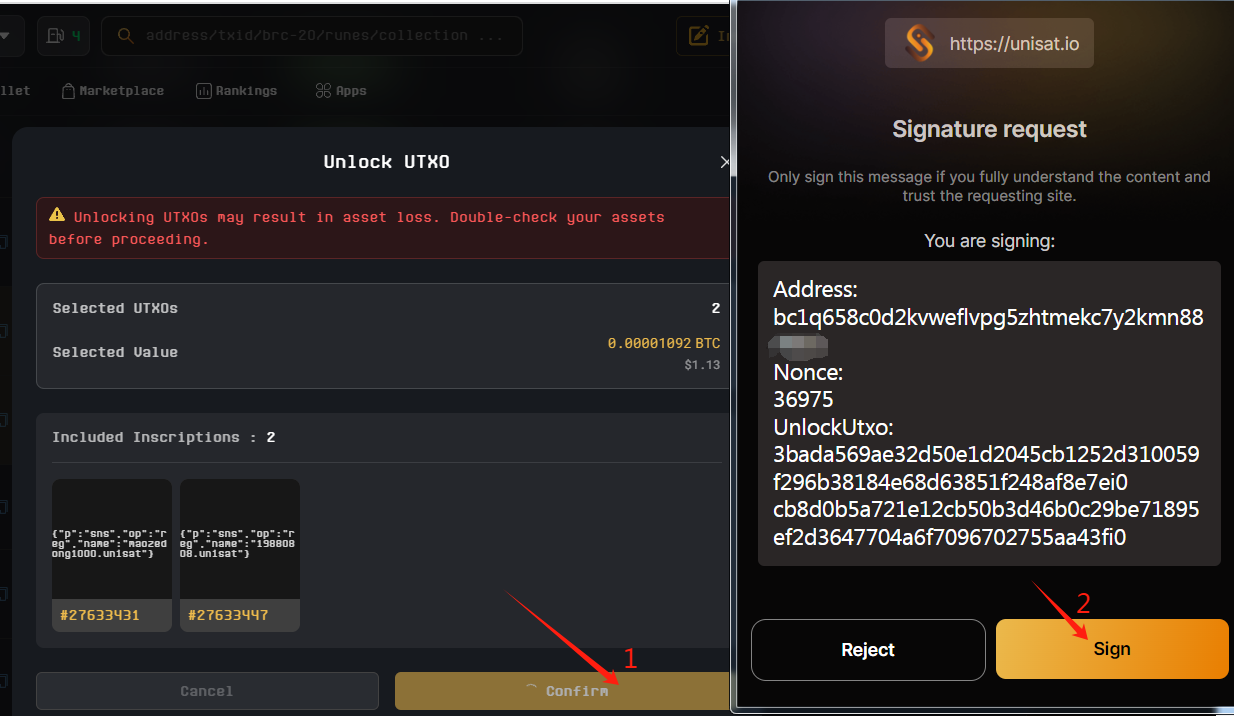
2\. You need to confirm and sign in wallet to finish unlocking.
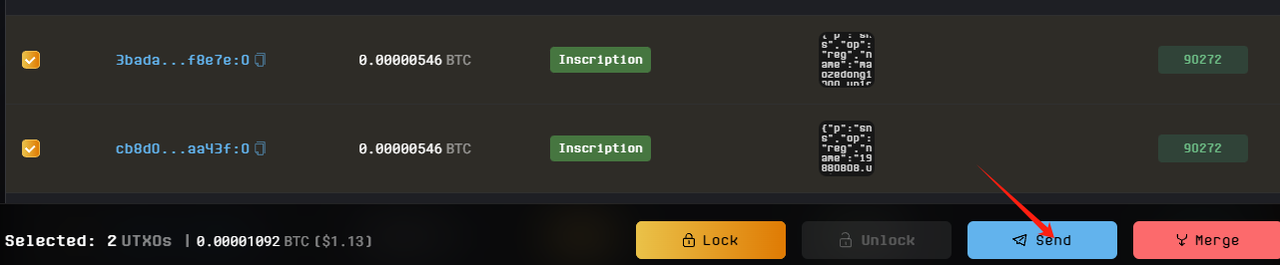
3\. Then you could see these two utxos being unlocked. Then select them and click Send.
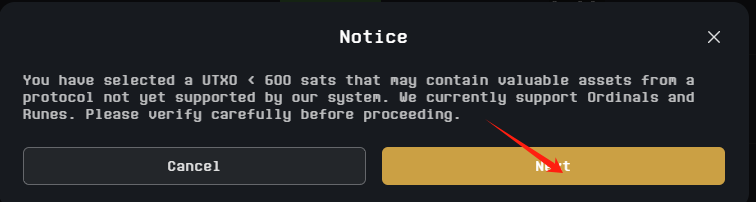
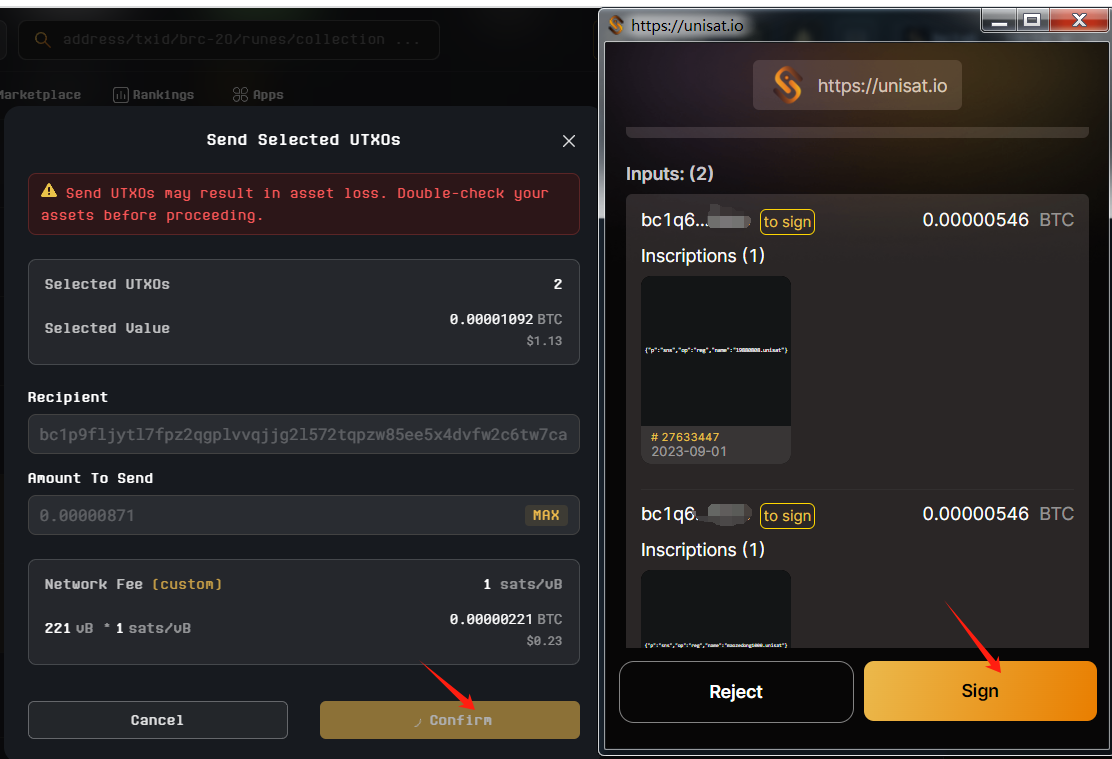
4. There is a Notice that pops out because these utxos are less than 600 sats, to protect your assets, we need you to confirm again, if be sure, you could click Next to continue.
5. Then you could enter Recipient and Amount, custom fee rate and confirm. In Sign page of wallet, you could see it lists these two utxos as Inputs.
* **Note:**
* After manually unlocking and spending a UTXO with assets, it needs to be unlocked again before the next spend.
* UTXOs with less than 600 sats, once unlocked, can only be merged or sent through the UTXO Management Tool. The wallet will not automatically select UTXOs below 600 sats for spending.
***
### How to lock inscription/Runes/Alkanes/ utxo and send as normal BTC in All UTXO Tab?
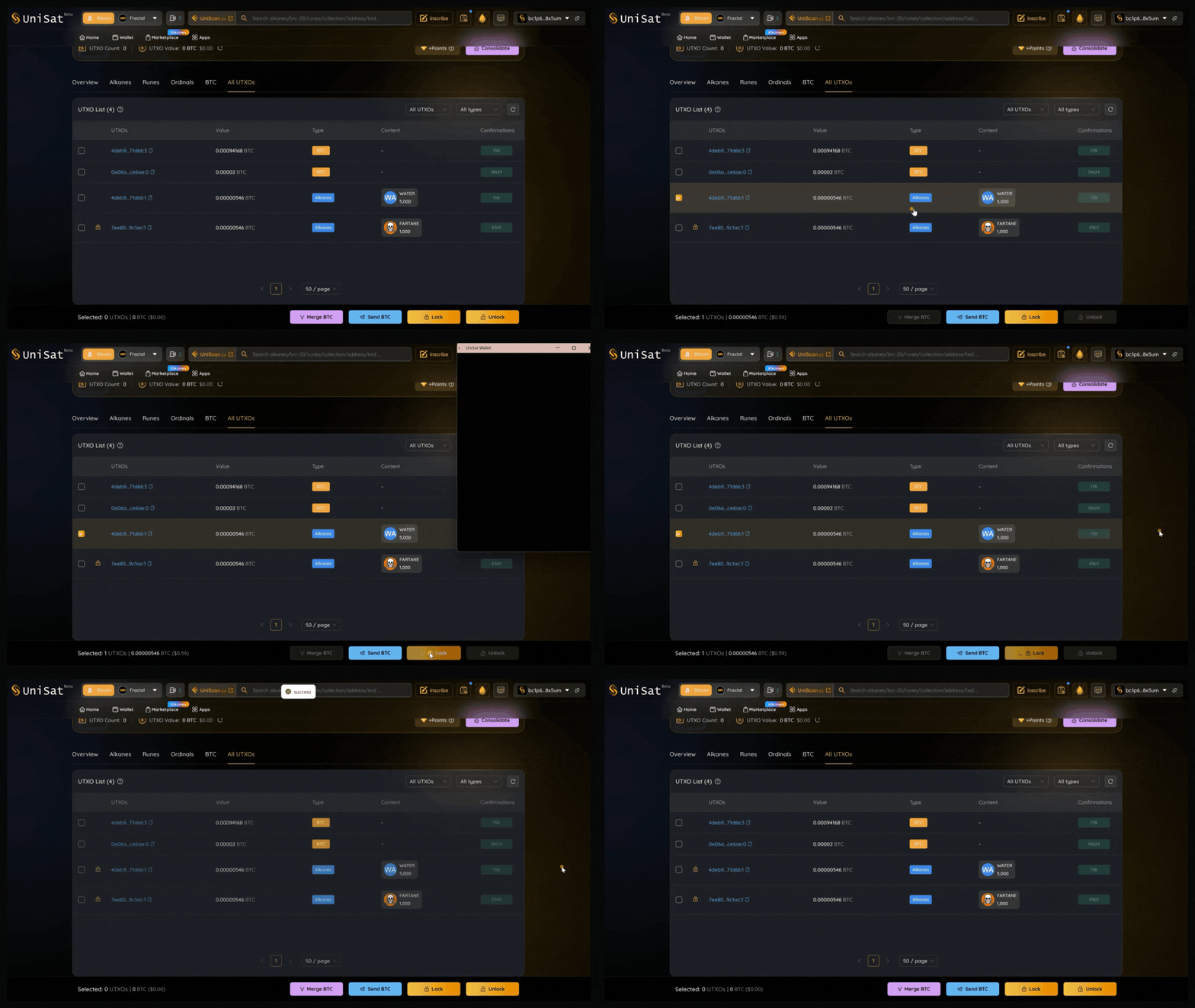
Here, we use Alkanes assets as an example (The process for Ordinals, Runes, Alkanes, and BTC is similar, with slight differences based on asset type. Please refer to the specific interface for each asset.)
**⚠ Always double-check before pressing that confirm button!**
**Disclaimer:**
The content of this document is for informational purposes only. It does not constitute (i) investment advice or recommendations, (ii) an offer, solicitation, or inducement to purchase, sell, or hold digital assets, or (iii) financial, accounting, legal, or tax advice. Digital assets (including FTs and NFTs) are subject to market volatility, involve high risk, regulatory changes, and may depreciate in value. The information is provided "as is," and we make no warranties regarding its accuracy. Please consult your legal, tax, or investment professionals to determine whether trading or holding digital assets is suitable for you.