> For the complete documentation index, see [llms.txt](https://docs.unisat.io/llms.txt). Markdown versions of documentation pages are available by appending `.md` to page URLs; this page is available as [Markdown](https://docs.unisat.io/products/unisat-wallet/how-to-inscribe-transfer-using-unisat-wallet.md).
# How to Inscribe Transfer Using UniSat Wallet
Step-by-step Guide for Inscribing and Sending TRANSFERs
According to the brc-20 protocol, all transfers require a TRANSFER inscription before sending tickers to others. Here's how to do it properly using UniSat Wallet:
#### Step 1: Download or Update UniSat Wallet
Make sure you're using the **official UniSat Wallet** and have updated to the latest version.
Download link:
#### Step 2: Check Your Assets in the Wallet
On the UniSat homepage, scroll to view your asset list. Click on any brc-20 assets to access their action buttons: Mint, Send, Trade
#### Step 3: Understand Your Transfer Balance
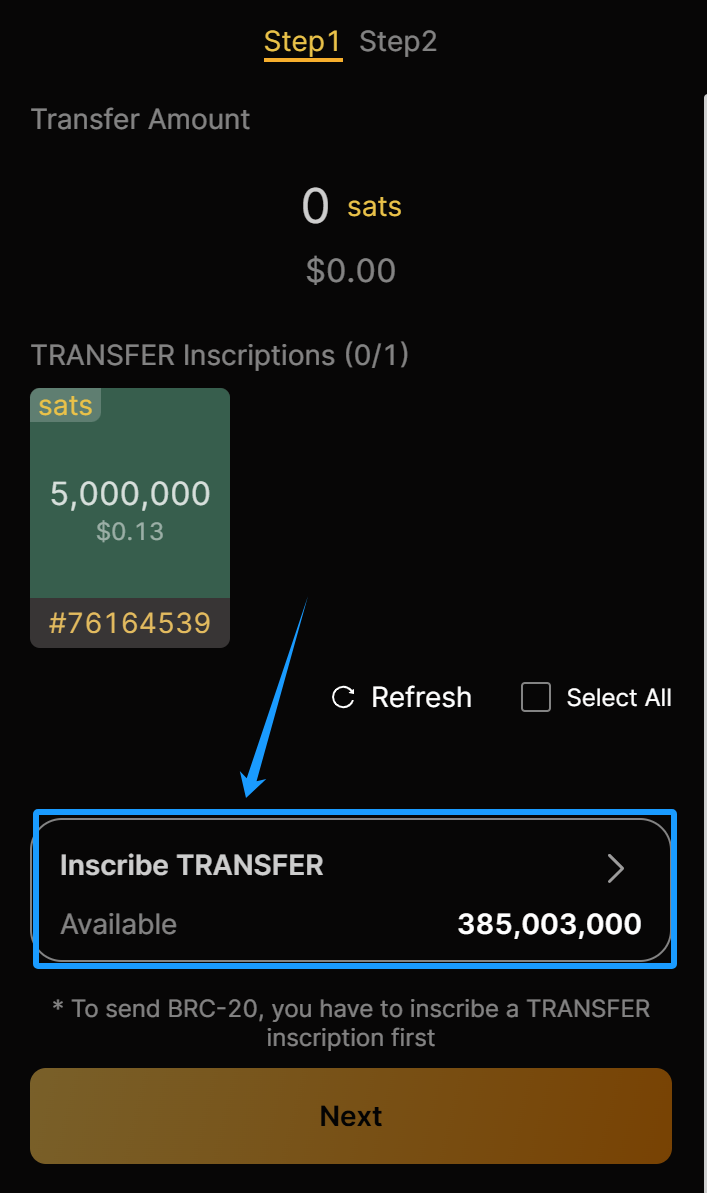
Click **Send** to initiate a transfer. You’ll see two balance types:
* **Transferable Amount**: Already inscribed as TRANSFER — can be sent immediately. *(Note: This amount is not editable. It’s based on your existing TRANSFER inscriptions.)*
* **Available (Inscribe TRANSFER)**: This part of your balance is not yet transferable. You need to inscribe transfer first to make it sendable.
#### Step 4: Inscribe TRANSFER
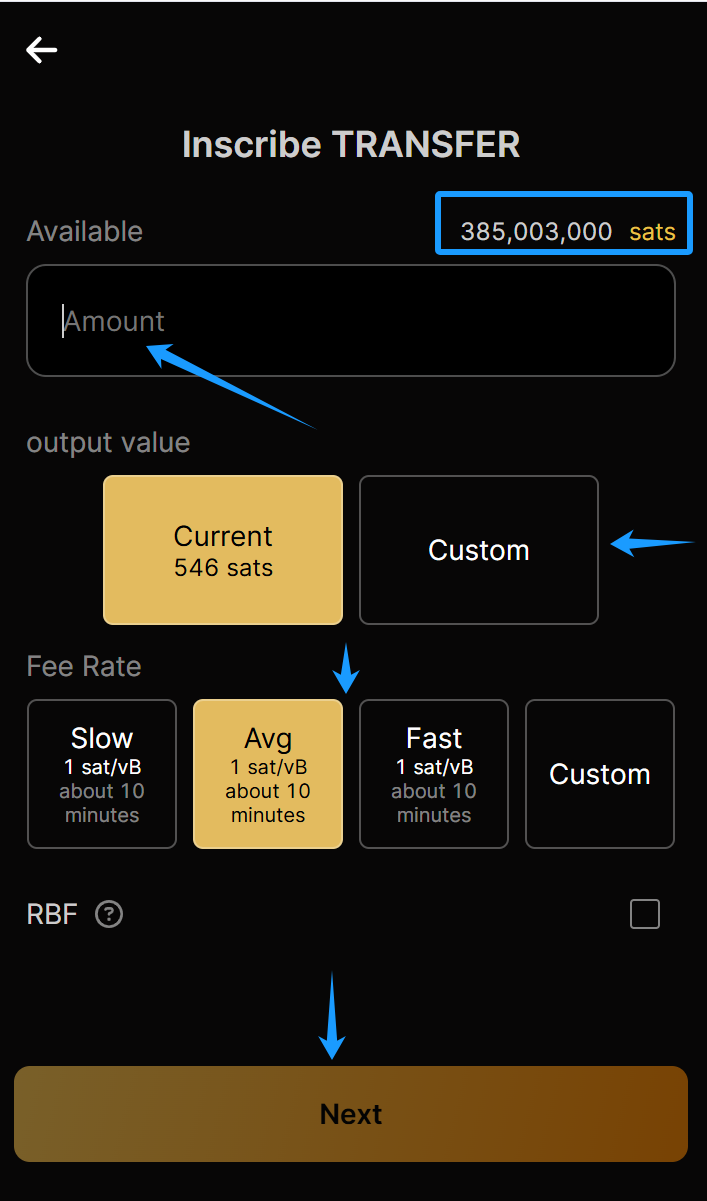
Click the **“Inscribe TRANSFER”** button to start.
* Enter the **amount** you want to inscribe
* Set **Output Value** and **Fee Rate**
* Click **Next**
#### Step 5: Confirm and Inscribe
Preview the details of the inscription. If all looks good, click **Next** --> **Pay & Pay**
Now your TRANSFER inscription is live and ready to be used for sending.
#### Step 6: Select TRANSFER and Send
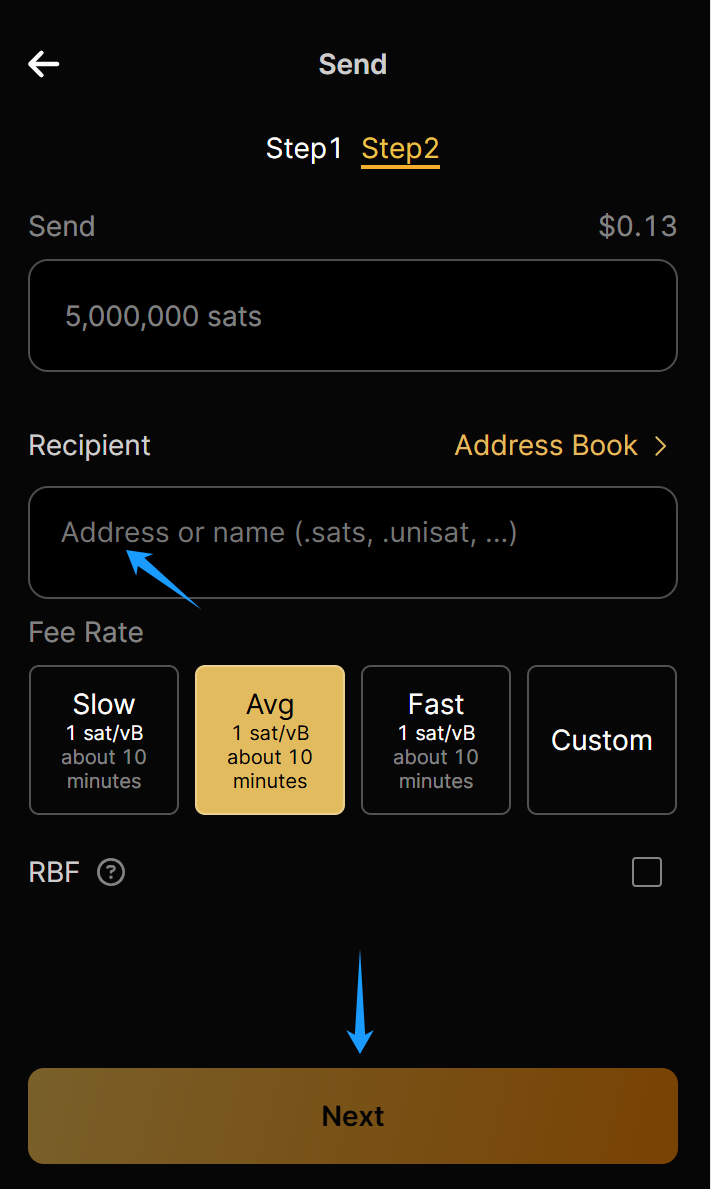
* Go back to the **Send** page
* Choose one or more **TRANSFER inscriptions**
* Enter the **receiver’s address** or name
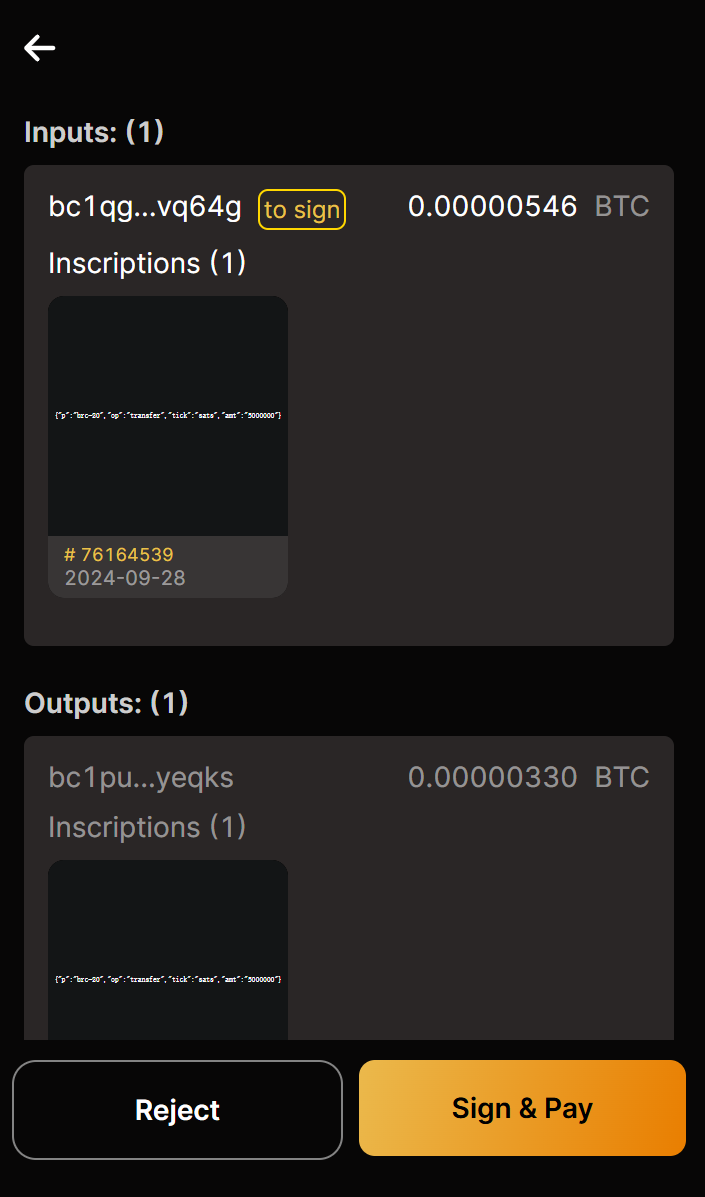
* Carefully check the input and output, then click **Sign & Pay.**
#### 🎉 Step 7: Done!
You’ve successfully completed a brc-20 transfer using UniSat Wallet.Check your transaction status via wallet history or a public explorer.
* brc-20 Spec:
#### Disclaimer:
The content of this document is for informational purposes only. It does not constitute (i) investment advice or recommendations, (ii) an offer, solicitation, or inducement to purchase, sell, or hold digital assets, or (iii) financial, accounting, legal, or tax advice. Digital assets (including FTs and NFTs) are subject to market volatility, involve high risk, regulatory changes, and may depreciate in value. The information is provided "as is," and we make no warranties regarding its accuracy. Please consult your legal, tax, or investment professionals to determine whether trading or holding digital assets is suitable for you.